
Select PV Interconnects by Function and Process
Start with the current path: cell-to-cell connection or string collection. Then specify the cell layout, conductor cross-section, coating, joining process and spool requirements. Use the module drawing and production equipment to select the interconnect format.
Use four dimensions to choose a ribbon route
Choose position in the module, flat or round geometry, conductor base and surface coating independently, then check their compatibility with the cell layout and stringer.
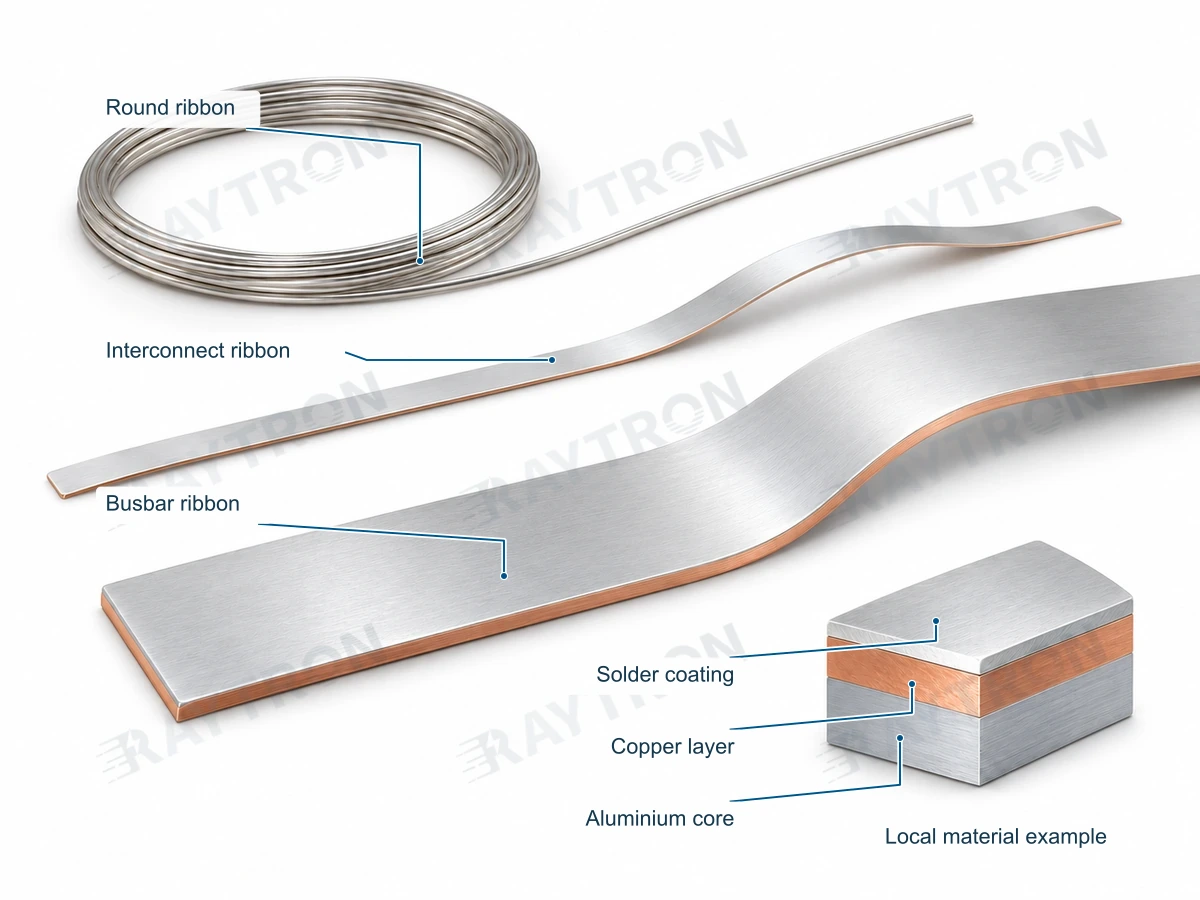
Use this comparison as a short route into the full selection guide, which connects product choice to a sample and module trial.
Complete PV ribbon selection guideEngineering comparison
Scroll horizontally to view all columns.
| Decision | PV Ribbon Type and Geometry | Solar Cell / Module Requirement | Comparison conditions |
|---|---|---|---|
| Current-path function | Interconnect geometry joins cells | Busbar geometry collects current from strings | Choose function before shape or coating. |
| Cross-section | Round or flat interconnect section from the cell design | Busbar width/thickness or other defined section | State dimensions rather than deriving them only from cell-technology names. |
| Cell layout | Front/rear contacts, line count and pad pattern | String collection and terminal/junction-box routing | BC, SMBB and 0BB describe design/process requirements, not one material or universal section. |
| Coating and handling | Solderable zones, process window and stringer spool | Joint surface, overlap and supply format | Use the actual joining process and trial acceptance. |
Select PV Interconnects by Function and Process: comparison record — open worksheet
Record your project requirements and observations, then download or include them in an inquiry.
| Item | Information / units | Your input |
|---|---|---|
| Comparison basis | Choose a common basis; no automatic equivalence is inferred | |
| Baseline and candidate | Materials, construction, form and drawing revisions | |
| Current-path function | Interconnect geometry joins cells | Busbar geometry collects current from strings · Choose function before shape or coating. | |
| Cross-section | Round or flat interconnect section from the cell design | Busbar width/thickness or other defined section · State dimensions rather than deriving them only from cell-technology names. | |
| Cell layout | Front/rear contacts, line count and pad pattern | String collection and terminal/junction-box routing · BC, SMBB and 0BB describe design/process requirements, not one material or universal section. | |
| Coating and handling | Solderable zones, process window and stringer spool | Joint surface, overlap and supply format · Use the actual joining process and trial acceptance. | |
| Methods, conditions and evidence | Units, test conditions, result source and reviewer |
Other formats and preview
Save or restore a draft
Drafts stay in this browser. Clear inputs also removes the saved draft.
Worksheet version: RT-RFQ-WORKSHEET-1.
Products and specifications
Include the drawing, intended application and acceptance criteria when requesting a comparison.
Send your cell and module layout